VPN Mobile App UI
(EARLY WORK) UI Design Case Study
Stockholm, 2020
Stockholm, 2020
About
Context — A 3-day UI design challenge I used to explore neumorphism and get comfortable with Adobe XD. The brief and user flow were predefined.
What I did — Designed a dark-theme VPN mobile app UI exploring neumorphism, from wireframes to prototype. My focus was purely on visual execution.
Note — This is an early practice exercise kept for reference, not a client or product project.
What I did — Designed a dark-theme VPN mobile app UI exploring neumorphism, from wireframes to prototype. My focus was purely on visual execution.
Note — This is an early practice exercise kept for reference, not a client or product project.
_______
The challenge
"Prepare a mobile application design for a VPN service. Design should include:
Login / Signup views
Signup with Facebook & Google account only. No username / password required.
Signup with Facebook & Google account only. No username / password required.
On-boarding view
Select country (IP) should be shown as a list with Flag, title and Ping.
Main view
Connecting / Status. VPN Country, Connection health, Upload speed, Download speed, Ping.
You should be able to connect, disconnect, change Country server. You should be able to go to settings from main view."
Select country (IP) should be shown as a list with Flag, title and Ping.
Main view
Connecting / Status. VPN Country, Connection health, Upload speed, Download speed, Ping.
You should be able to connect, disconnect, change Country server. You should be able to go to settings from main view."
_______
Solution
Please click to play the video
Wireframes
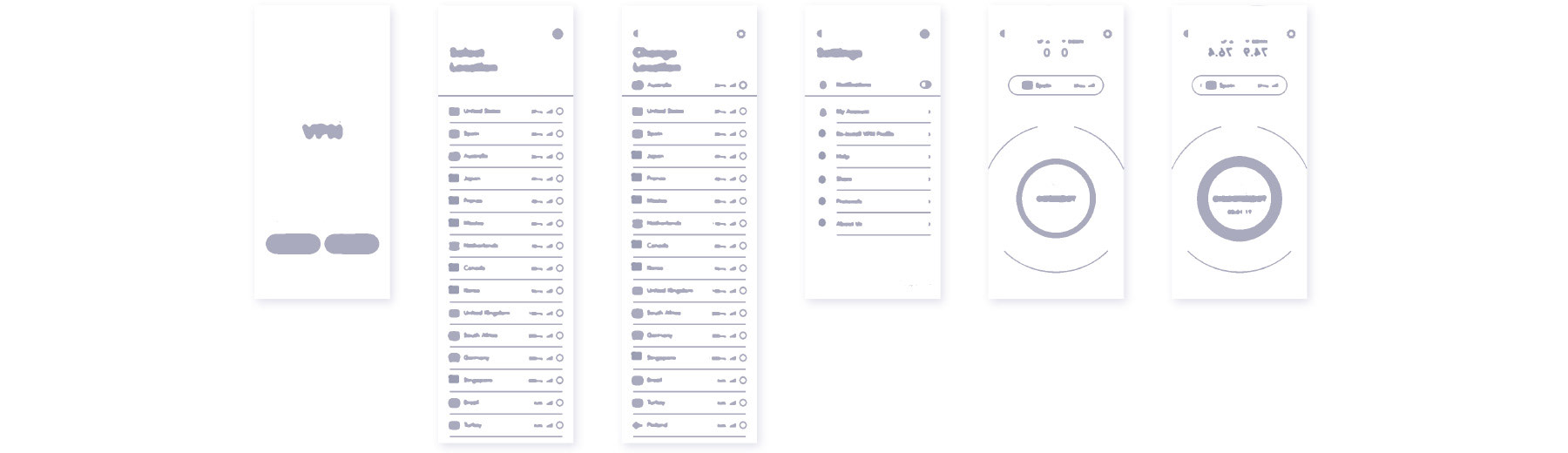
The goal of this project was to reach simple yet attractive design for a VPN service. Since the user flow was already given, I moved to wireframes and design decisions.
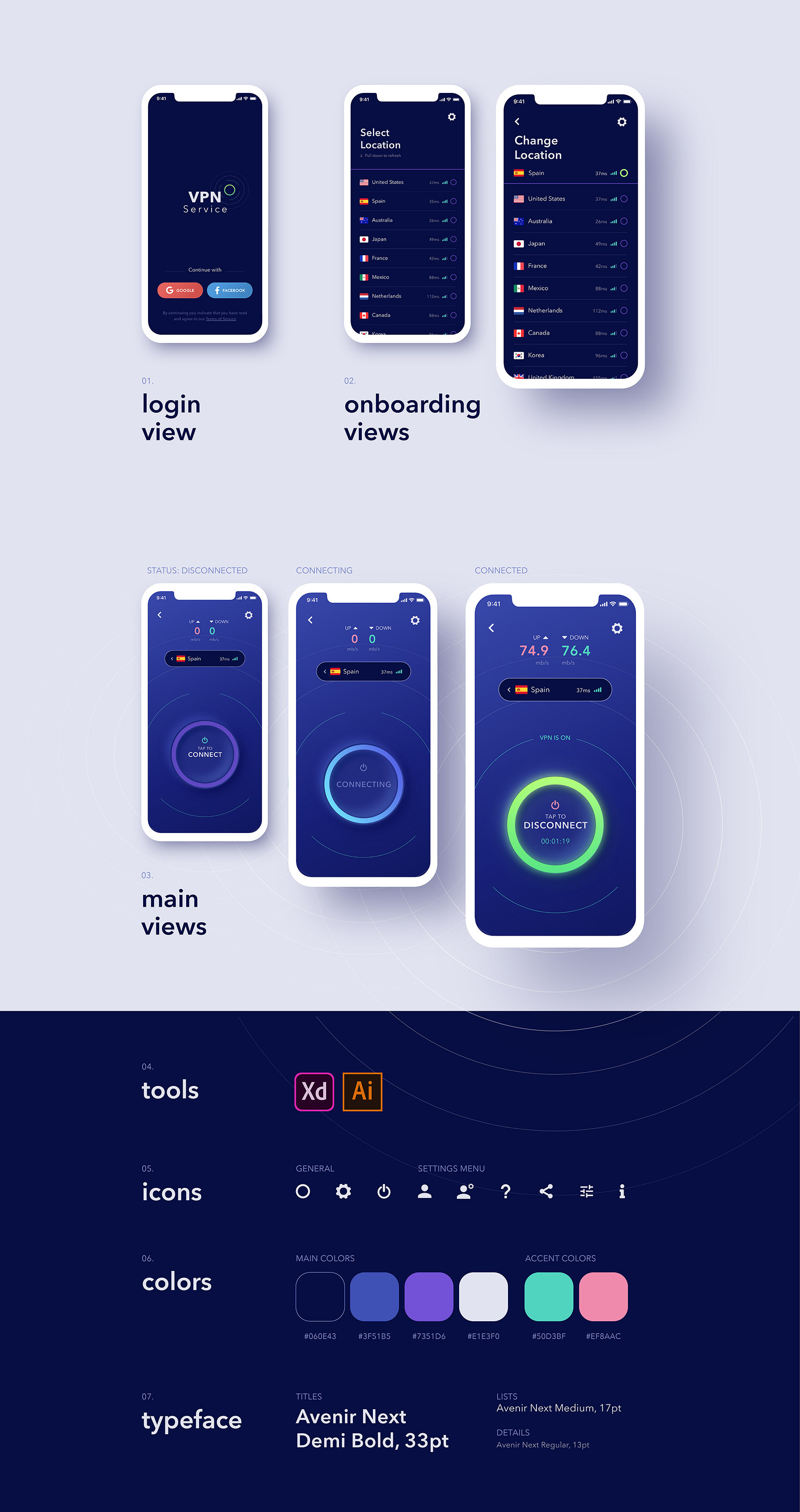
I created a dark theme with night colours.
A neumorphic button with light animations for emphasising current status.
Clear indications for ease of use.
UI screens are designed for iPhone X/XS/11 Pro resolutions.
Prototype
Please click on the screen below to start